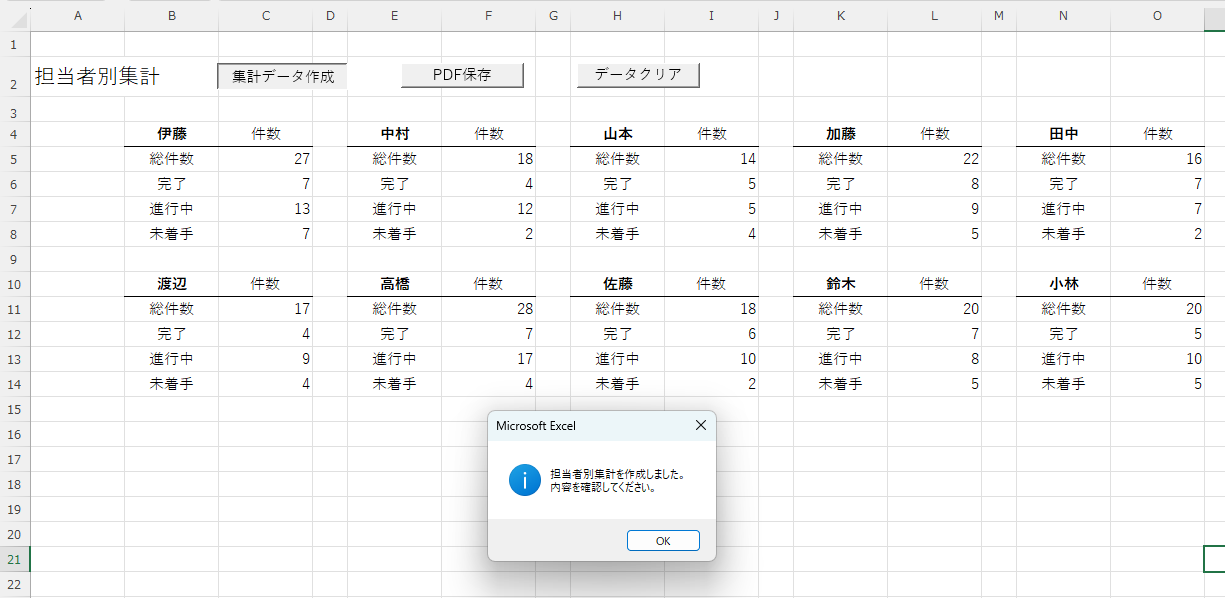
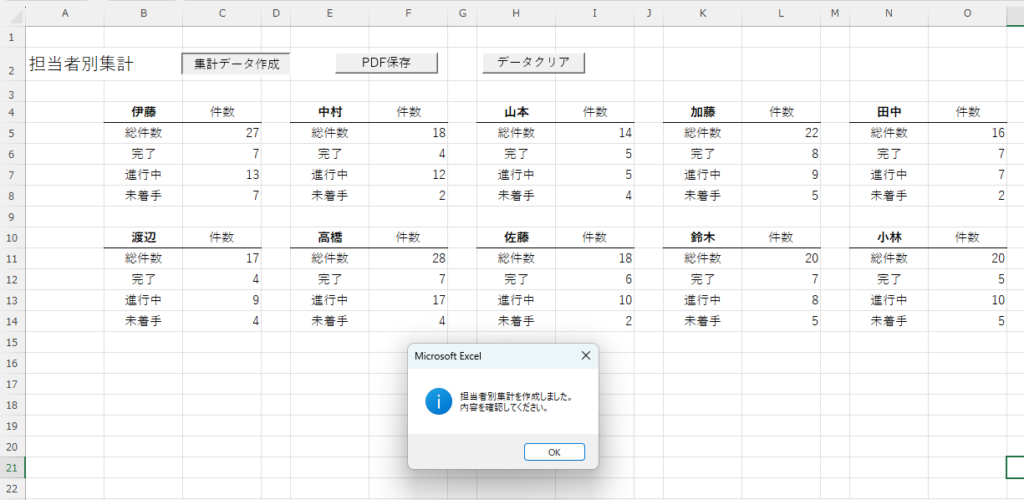
・案件データベースから担当者ごとの進捗状況を自動集計
・完了・進行中・未着手を自動で分類
・案件管理システムの集計画面をボタン1つで更新可能
このコードでできること
・担当者ごとの総案件数を集計
・完了、進行中、未着手件数を集計
・集計結果を担当者別に一覧表示
サンプルファイル
Excel VBAサンプルは、OneDriveの配布フォルダーからダウンロードします。
配布フォルダーを開き、必要なファイルまたはフォルダーを選択してください。
すべてのファイルをダウンロードする必要はありません。
必要に応じてファイルのダウンロードをしてください。
▶ VBAコードのサンプルファイルを利用する方法
▶ 【完成版】案件管理システム作成プロジェクト_Ver.1
VBAコード
Sub 担当者別集計作成()

Dim wsData As Worksheet
Dim wsOut As Worksheet

Dim lastRow As Long
Dim r As Long

Dim dic As Object
Dim person As String
Dim status As String
Dim info

Dim startCols As Variant
Dim topRow As Long
Dim col As Long
Dim cnt As Long

Dim key As Variant
Dim c As Variant

'=================================
' シート設定
'=================================
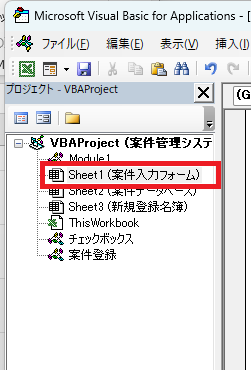
Set wsData = Worksheets("案件データベース")
Set wsOut = Worksheets("担当者別集計(VBA)")

Set dic = CreateObject("Scripting.Dictionary")

'=================================
' 最終行取得
'=================================
lastRow = wsData.Cells(wsData.Rows.Count, "E").End(xlUp).Row

'=================================
' 集計
'=================================
For r = 2 To lastRow

    person = Trim(wsData.Cells(r, "E").Value)
    status = Trim(wsData.Cells(r, "H").Value)

    If person <> "" Then

        If Not dic.Exists(person) Then
            dic.Add person, Array(0, 0, 0, 0)
        End If

        info = dic(person)

        info(0) = info(0) + 1

        Select Case status

            Case "完了"
                info(1) = info(1) + 1

            Case "進行中"
                info(2) = info(2) + 1

            Case "未着手"
                info(3) = info(3) + 1

        End Select

        dic(person) = info

    End If

Next r

wsOut.Range("B4:O14").ClearContents

For Each c In Array("D", "G", "J", "M")
    wsOut.Columns(c).ColumnWidth = 3.75
Next c

startCols = Array(2, 5, 8, 11, 14, 2, 5, 8, 11, 14)

cnt = 0

For Each key In dic.Keys

    If cnt > 9 Then Exit For

    If cnt <= 4 Then
        topRow = 4
        col = startCols(cnt)
    Else
        topRow = 10
        col = startCols(cnt)
    End If

    info = dic(key)

    wsOut.Cells(topRow, col).Value = key
    wsOut.Cells(topRow, col + 1).Value = "件数"

    wsOut.Cells(topRow + 1, col).Value = "総件数"
    wsOut.Cells(topRow + 1, col + 1).Value = info(0)

    wsOut.Cells(topRow + 2, col).Value = "完了"
    wsOut.Cells(topRow + 2, col + 1).Value = info(1)

    wsOut.Cells(topRow + 3, col).Value = "進行中"
    wsOut.Cells(topRow + 3, col + 1).Value = info(2)

    wsOut.Cells(topRow + 4, col).Value = "未着手"
    wsOut.Cells(topRow + 4, col + 1).Value = info(3)

    wsOut.Cells(topRow, col).Font.Bold = True

    With wsOut.Range( _
        wsOut.Cells(topRow, col), _
        wsOut.Cells(topRow, col + 1) _
        ).Borders(xlEdgeBottom)

        .LineStyle = xlContinuous
        .Weight = xlThin

    End With

    With wsOut.Range( _
        wsOut.Cells(topRow, col), _
        wsOut.Cells(topRow + 4, col))

        .HorizontalAlignment = xlCenter
        .VerticalAlignment = xlCenter

    End With

    wsOut.Cells(topRow, col + 1).HorizontalAlignment = xlCenter
    wsOut.Cells(topRow, col + 1).VerticalAlignment = xlCenter

    cnt = cnt + 1

Next key

wsOut.Activate

MsgBox "担当者別集計を作成しました。" & vbCrLf & _
       "内容を確認してください。", vbInformation

End Sub
カスタマイズ例
パターン①
担当者数を15名まで表示する
If cnt > 14 Then Exit For
パターン②
集計開始行を変更する
topRow = 15
よくあるエラー
実行時エラーが発生する
対処法
・案件データベースシート名を確認する
・担当者別集計(VBA)シート名を確認する
集計結果が0件になる
対処法
・担当者列がE列か確認する
・状態列がH列か確認する
関連記事
▶ 前のページ:VBAでチェックボックスにチェックしたら別シートへ転記するコード
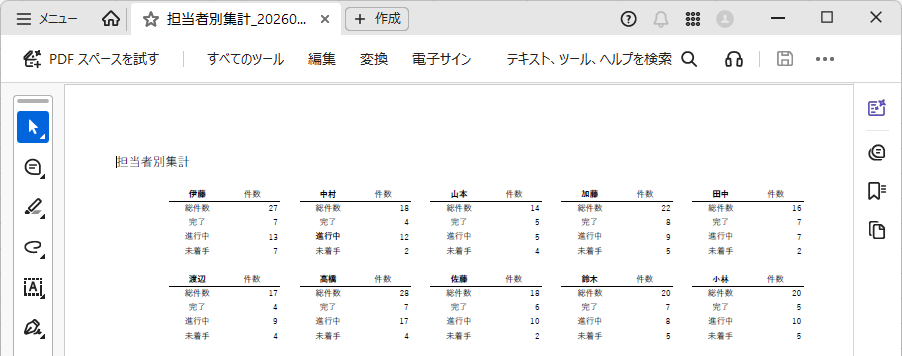
▶ 次のページ:GASで担当者別集計表をPDF保存するコード
▶ プロジェクトトップページへ戻る
コメント